More about app families
You can register multiple apps within the same organization. To make app management easier, you can group them into app families. For example, an app family might include iOS and Android versions of the same app. With this approach, you can view statistics both for specific apps and across the entire app family. Furthermore, with the All app families mode, you can see statistics for all available apps within your organization.

Select a specific app family to view statistics for all apps included in that app family in analytics mode.

Adding app families and apps
You can add a new app family when registering an app:
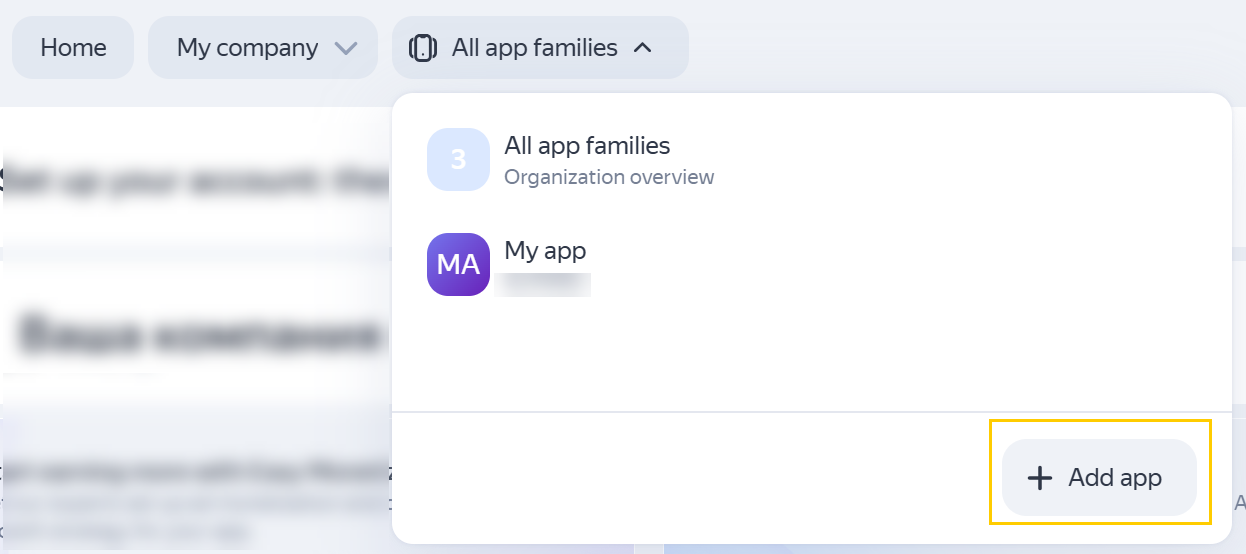
Open the list of all app families and click + Add app at the bottom.
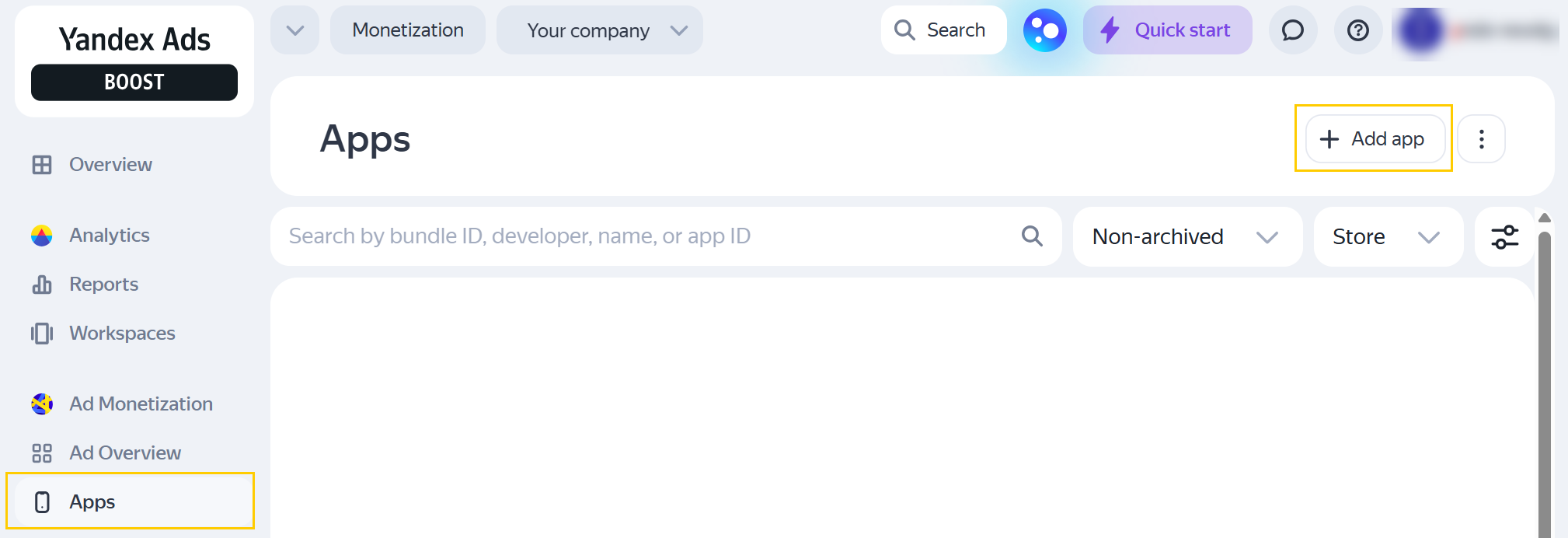
Go to Monetization → Apps and click + Add app.
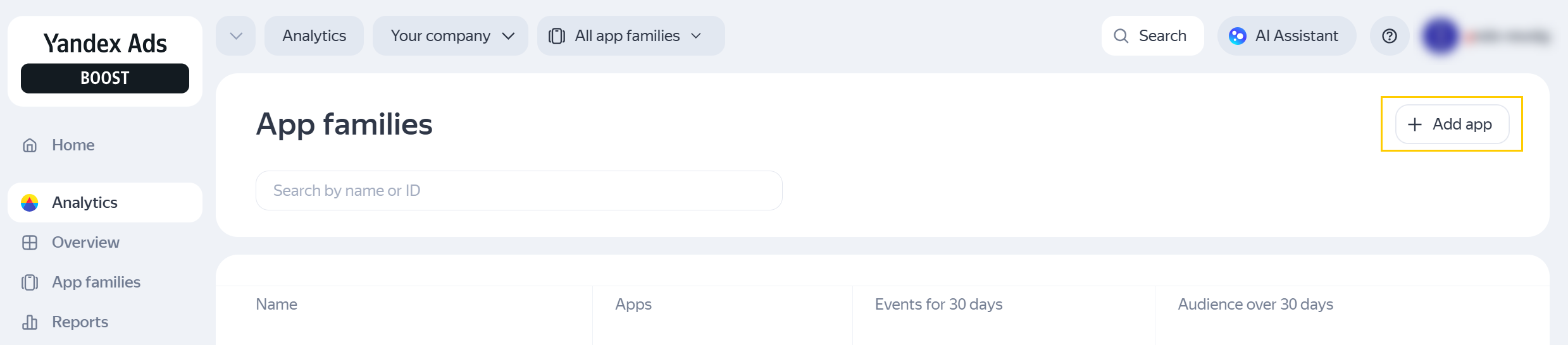
Go to Analytics → All app families and click + Add app.
-
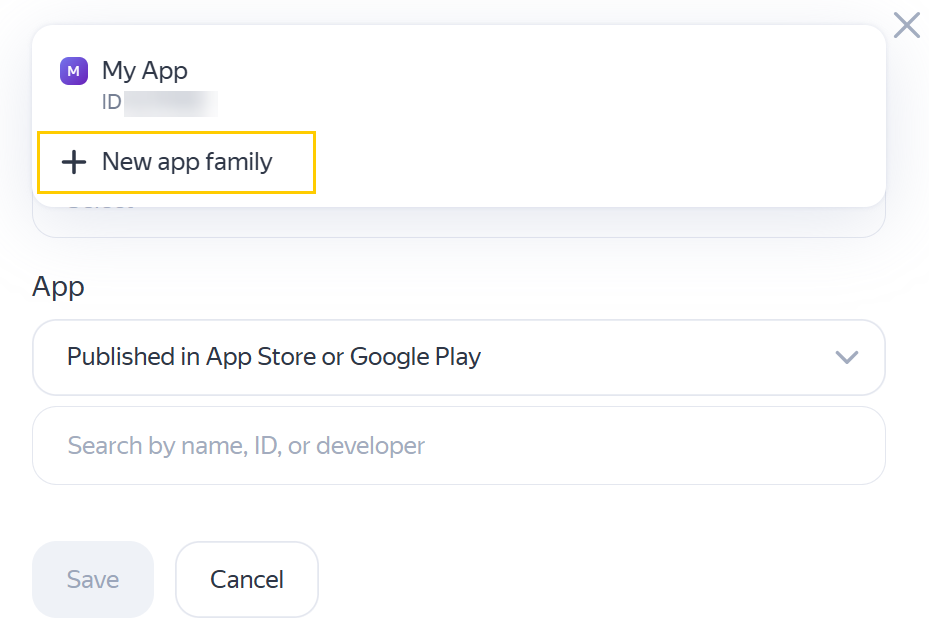
In the window that opens, under Family, select the app family you want to add the new app to. To create a new app family, click + New app family.
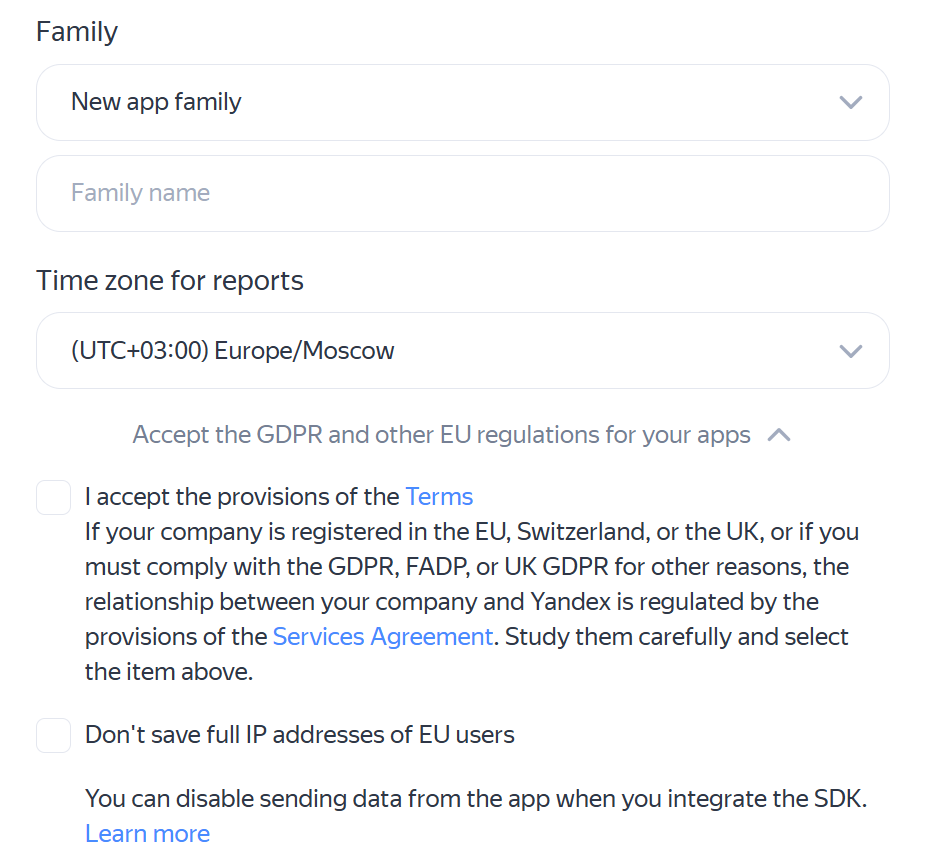
When creating a new app family:
- Enter a name for the app family.
- Specify your time zone.
- Select I accept the provisions of the Terms.
- If needed, select Don't save full IP addresses of EU users. For more information, see GDPR compliance.
-
Under App, select the relevant publication status:
- Published in App Store or Google Play
- Published in another store
- Not yet published
-
Specify the publication details.
Published in App Store or Google PlayPublished in another storeNot yet publishedStart typing your app's name or ID from the app store to find it in the list.
-
Specify the app store: Google Play, the App Store, Amazon Store, AppGallery, Galaxy Store, or GetApps.
-
Specify the app name, package name, link to the app, and developer.
-
Select a platform: iOS or Android.
-
Enter the app's name.
-
-
Click Save.
Moving an app family to another organization
To move app family to another organization:
-
Go to Analytics → Access to analytics.
-
Ensure that you are in the organization mode, not in a specific app family (the All app families item is selected).
-
Select app family и press
 → Move app.
 -
Specify the name of the organization you want to move the app family to.
-
Press Save.
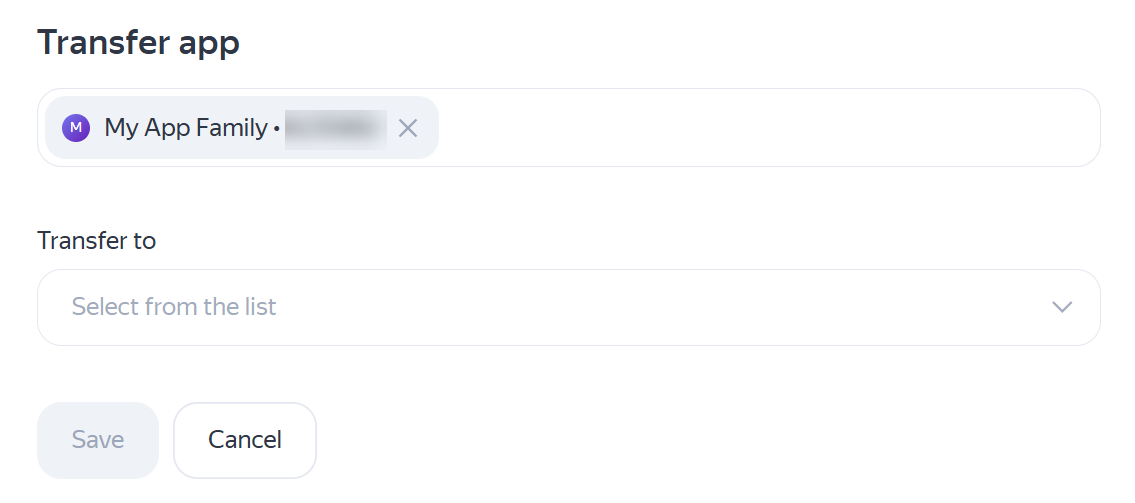
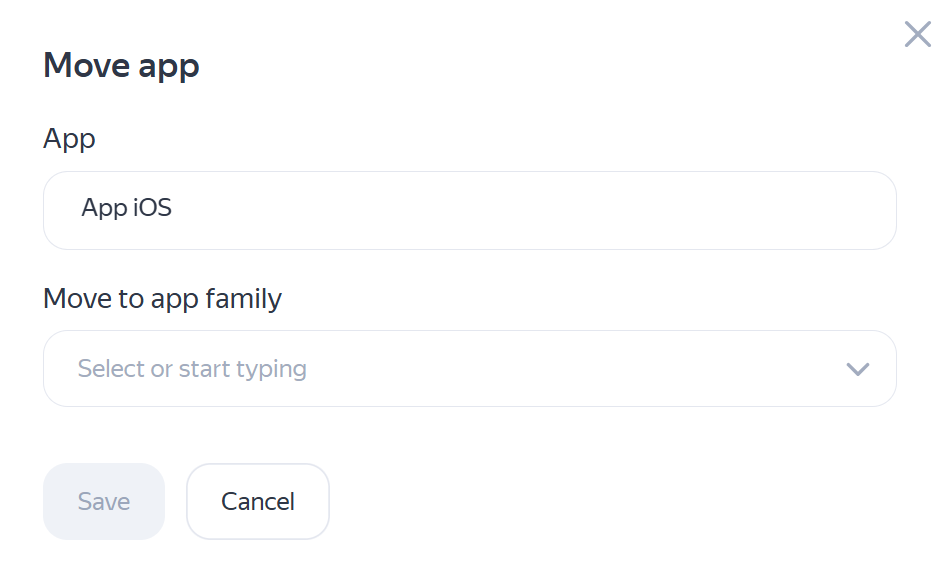
Moving an app to another app family
You can move an app to another app family. To do this:
-
Go to Monetization → Apps.
-
Select the app, then click
→ Move app. -
Specify the name of the app family where you want to move the app.
-
Click Save.