Signing a contract with the Boost
To become partnered with the Boost, you must first sign a contract. The most basic way to do that is to accept the Boost Terms of Offer. To read the Terms of Offer for different countries, see the table in the Revenue payments section. To accept the offer, you need to do the following:
-
Fill out the partner application following the instructions and agree to the offer terms. Once you do that, you'll gain access to the Boost interface.
-
Add the app and confirm access to it.
-
Wait for moderation. The moderation process typically takes no more than two days. Meanwhile, you can create and place ad units in test mode. While in test mode, your impressions don't generate revenue. Once your app is approved, its status will change to Active, and it will start showing real ads.
-
Add the payment details to receive payments: in the Boost interface, go to Ad Monetization → Payout.
-
Once the Boost accepts the offer, the contract status will change to Signed, and the contract signing date will appear. Your partner contract with Yandex is then considered signed.
Note
Self-employed partners are required to take additional actions to accept the offer.
Trial period
Before accepting the Boost offer, a future partner is granted a trial period to configure and test the ad code. The trial period is granted under the following conditions:
-
The balance amount on the partner's account doesn't exceed 10,000 rubles. The limit applies to the revenue amount in rubles, even if the partner selects a different currency for payments or statistics.
When a partner is paid, the revenue amount is converted to the payment currency at the exchange rate as of the last date of the billing period (the end of the month or the day of contract termination). The statistics will reflect the amount at the exchange rate of the Central Bank of the Russian Federation as of the event (ad impression) date.
-
No more than 2 months have passed since the registration data was entered in the application form.
If either of the two above conditions ceases to be true, the trial period will end, and ad impressions will be suspended until the offer acceptance is finalized. You can still submit apps for review and create ad units, but ads won't be served, and your resource will have the Stopped status.
You can start displaying ads again after you enter payment details and accept the offer. To resume ads, go to the app and select Start impressions.
Note
We need to verify your payment details before concluding the contract. This usually takes up to two days, but in rare cases it may take longer.
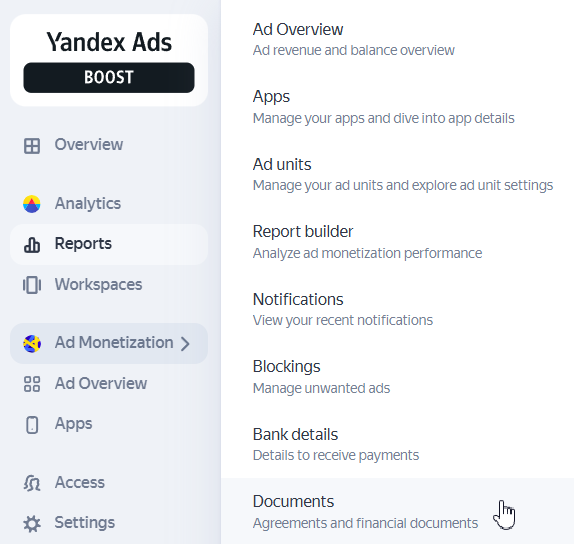
Your contract with the Boost, along with other financial documents, can be accessed from the Boost interface (Documents).
How it looks in the interface
Warning
For a complete list of rules and requirements for participating in the Boost, see the following documents: