App statuses
App moderation
Once an app is created, it's assigned a unique app ID and automatically submitted for moderation with the status Pending review. Moderation can take up to two days. During this time, you can create and integrate ad units, but you won't be paid for impressions in these units.
Once your app passes moderation, its status will change to Active.
How it looks in the interface
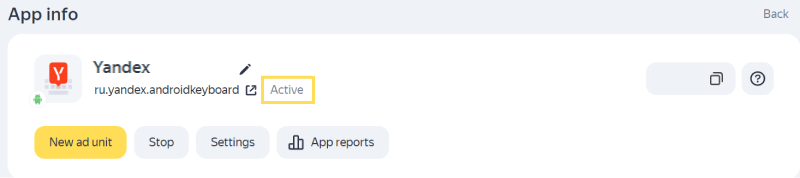
Note
If you haven't published your app yet, it will appear in the Boost interface with the status Testing once its created. After publishing the app, add a link to it in the App Store or Google Play or specify the app data from another store. After you save changes, your app will automatically be sent for moderation.
If your app fails moderation, its status will change, and you'll see the rejection reason.
Test the app
App with status “Active”
To see what ads will look like in your app, enable a banner or an interstitial ad in the Yandex Mobile Ads SDK using demo Ad Unit IDs:
Your app will start running test units, but you won't be paid for these impressions.
App with status “Under moderation” or “Testing”
If the app has the Testing or Under moderation statuses, you can create ad units and immediately integrate them into the app. Test ad impressions will start, but you won't be paid for them. Real ads will start running after your app passes moderation (when its status changes to Active).
How it looks in the interface

Suspending and deleting an app
To stop impressions for all ad units in the app, click Stop on the app page. To resume impressions, click Actions → Start impressions.
You can archive apps in which you no longer want to display ads:
-
Open the app page.
-
Click Stop.
How it looks in the interface
-
Click Actions → Archive.
How it looks in the interface

You can restore your archived apps on the app list page: go to Ad Monetization → Applications, then find the archived app using the status filter and click Restore.