Integration Yandex Mediation
Warning
Be sure to update to the latest adapter versions (Yandex Mobile Mediation and adapters for third-party mediation networks). Otherwise, errors from improper adapter integration might occur, preventing the ad from being served.
Yandex Mobile Mediation is a platform that automatically selects ads from a variety of ad networks using ML algorithms, which helps you maximize your revenue. All settings are preconfigured, so you can start using it immediately without having to set up each network individually.
If you've been using the Mobile Ads SDK with a single Yandex network, migrating to Yandex Mediation requires no code changes. You only need to preset the sections of third-party advertising networks' web interfaces.
Prerequisites
To prepare your app, follow the steps described in the next sections.
App requirements
- Use iOS 13 or higher.
- Use Xcode 16.4 or higher.
Set up the app in your Boost account
Register your app as a Boost app:
Integration
You can integrate Yandex Mediation in two ways:
- Unified build (recommended): All available adapters are connected automatically.
- Connecting individual adapters: Install the Yandex Ads SDK and separately connect specific adapters using the appropriate packages.
You can connect all available adapters automatically using the YandexMobileAdsMediation shared mediation library: The library is adapted to work with dependency managers:
If you need static linking:
-
Set up mediation in the Boost interface.
-
Add the
YandexMobileAdsMediationlibrary to your Podfile.pod 'YandexMobileAdsMediation', '7.18.4'The latest compatible version is selected automatically for each adapter.
-
In your app's Info.plist file, add the
GADApplicationIdentifierkey with yourAdMob ID. Learn more about where you can find the AdMob ID.<key>GADApplicationIdentifier</key> <string>ca-app-pub-xxxxxxxxxxxxxxxx~yyyyyyyyyy</string>
You can use this method for external ad networks such as Mintegral, AppLovin, Google AdMob, VK Ads (ex. myTarget), and Liftoff (ex. Vungle):
- Set up mediation in the Boost interface.
- In your Xcode project, add a dependency using File → Add Packages dependencies.
- Specify the URL of the repository with the Swift package:
https://github.com/yandexmobile/yandex-ads-sdk-mediation-ios/.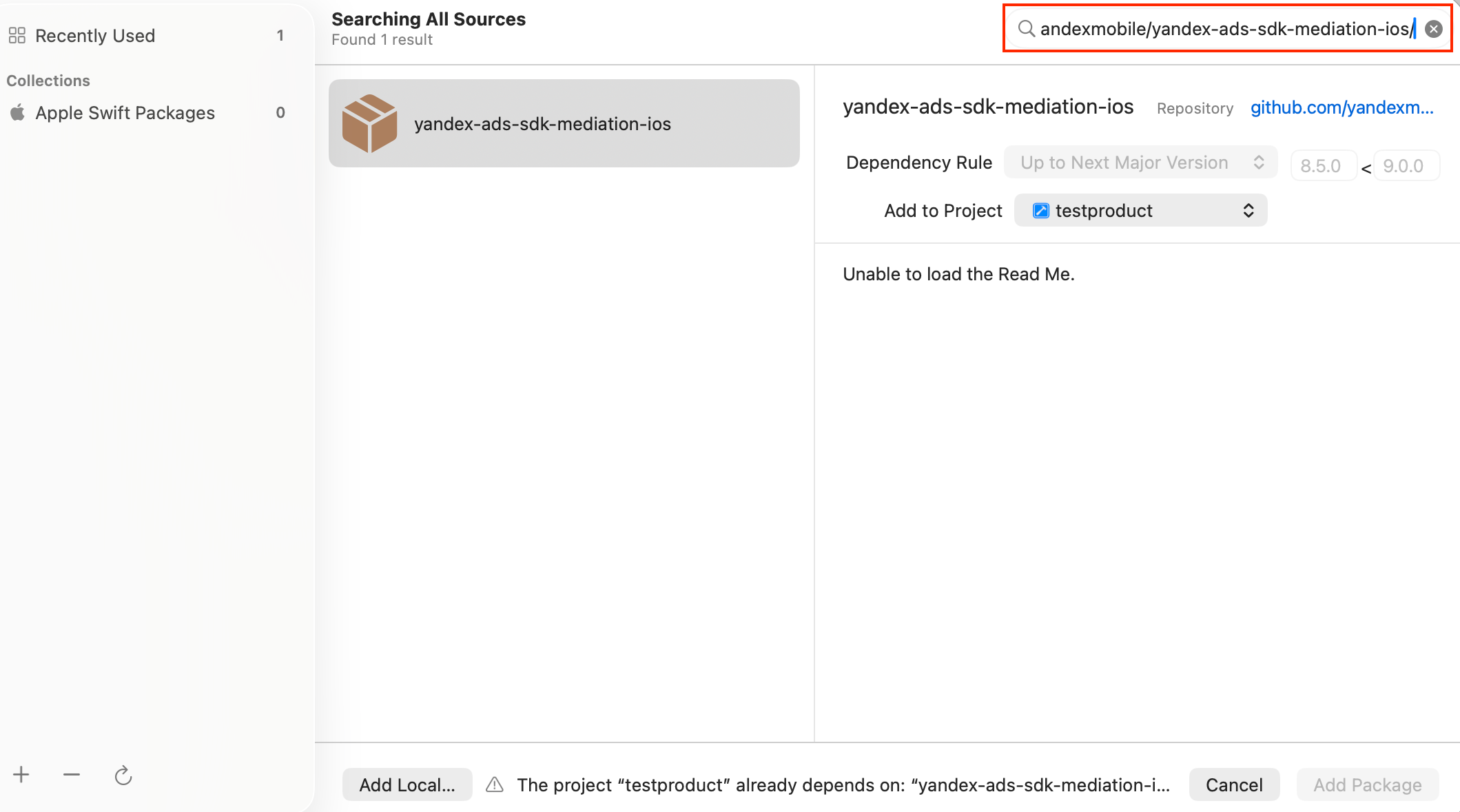
- Go to Build Settings and add the parameter value
Other Linker Flags = -ObjCunder Linking.
- Make sure the target is linked to YandexMobileAdsPackage. If the target isn't linked, add the library under Link Binary With Libraries by clicking +.
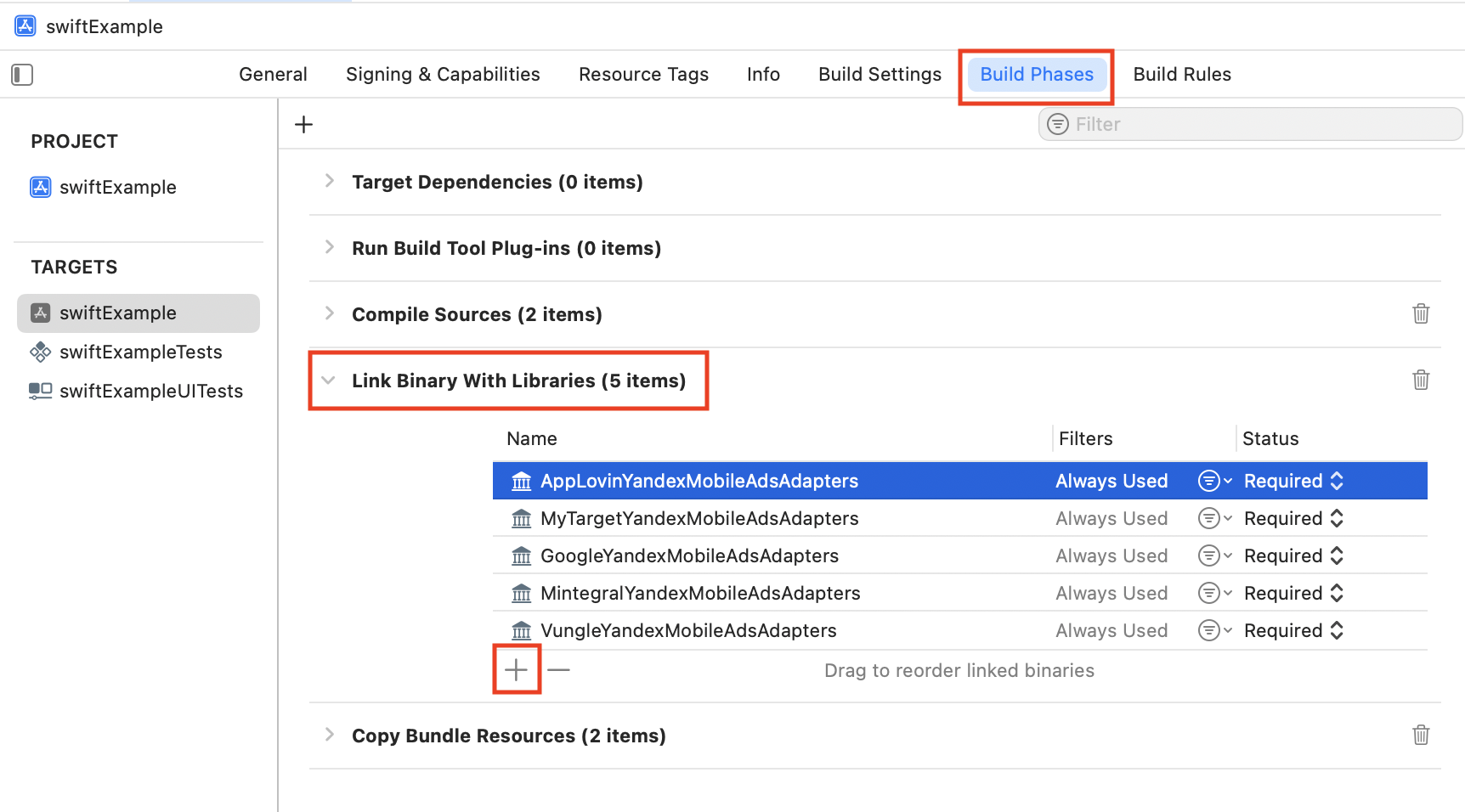
- Select your adapters. If you aren't sure which ones you need, add all of them.
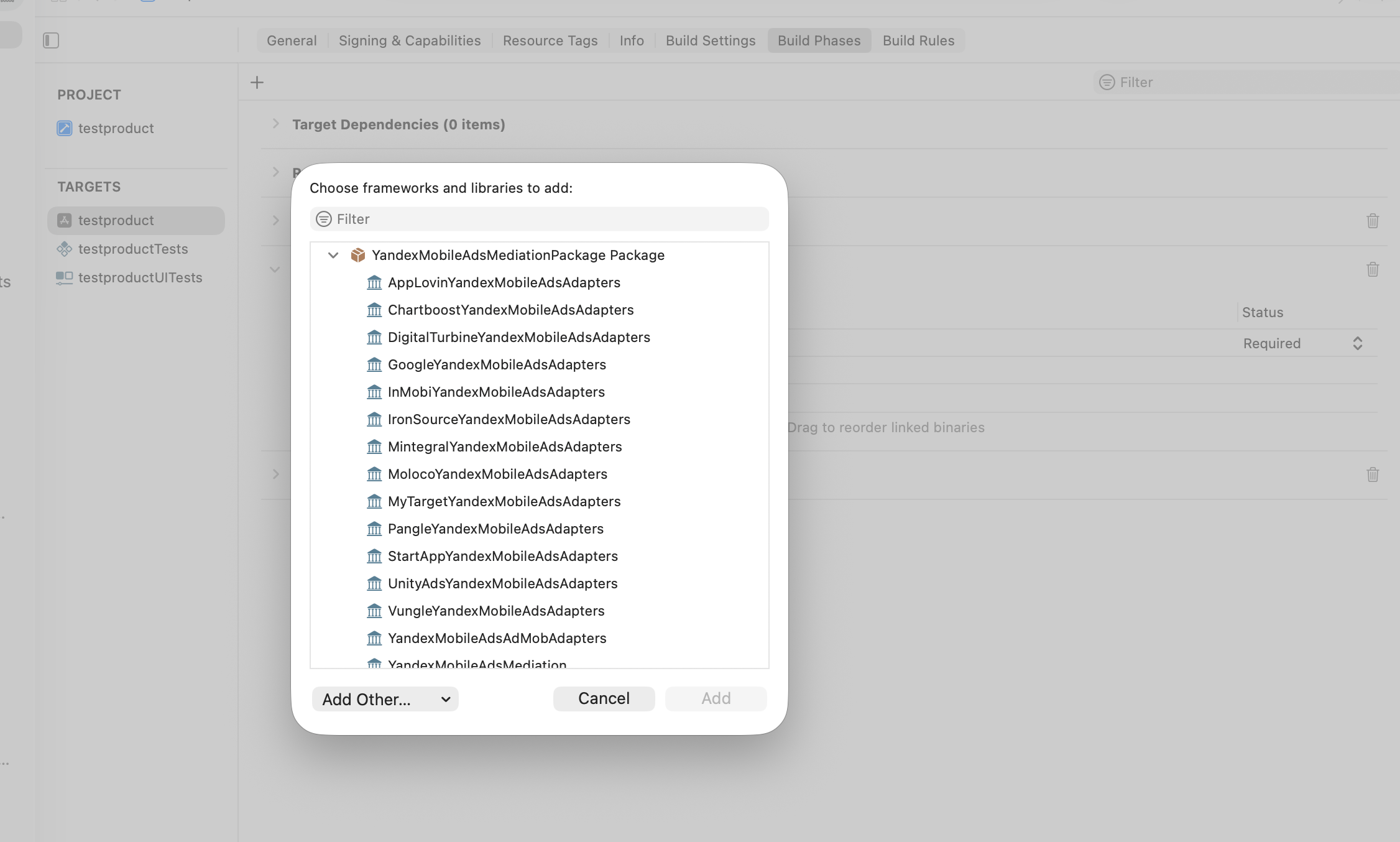
To connect individual adapters, enable the Yandex Ads SDK, then follow the specific instructions for each adapter:
- Set up mediation in the Boost interface.
- Add the
YandexMobileAdslibrary to your Podfile.
pod 'YandexMobileAds', 'x.x.x' // add supported version
- Connect the required adapters separately using the appropriate libraries.
Note
If you need Mobile Mediation to track app installs, be sure to configure the Info.plist file. For more information, see SKAdNetwork support.