Integrating Yandex Mediation
Warning
Be sure to update to the latest adapter versions (Yandex Mobile Mediation and adapters for third-party mediation networks). Otherwise, errors from improper adapter integration might occur, preventing the ad from being served.
Yandex Mobile Mediation is a platform that automatically selects ads from a variety of ad networks using ML algorithms, which helps you maximize your revenue. All settings are preconfigured, so you can start using it immediately without having to set up each network individually.
If you've been using the Mobile Ads SDK with a single Yandex network, migrating to Yandex Mediation requires no code changes. You only need to preset the sections of third-party advertising networks' web interfaces.
Prerequisites
To prepare your app, follow the steps described in the next sections.
App requirements
- Use iOS 15 or higher.
- Use Xcode 16.4 or higher.
Set up the app in your Boost account
Register your app as a Boost app:
Integration
Set up mediation in the Boost interface. Then select a dependency manager.
-
In Xcode, select File → Add Packages dependencies and enter
https://github.com/yandexmobile/yandex-ads-sdk-mediation-ios.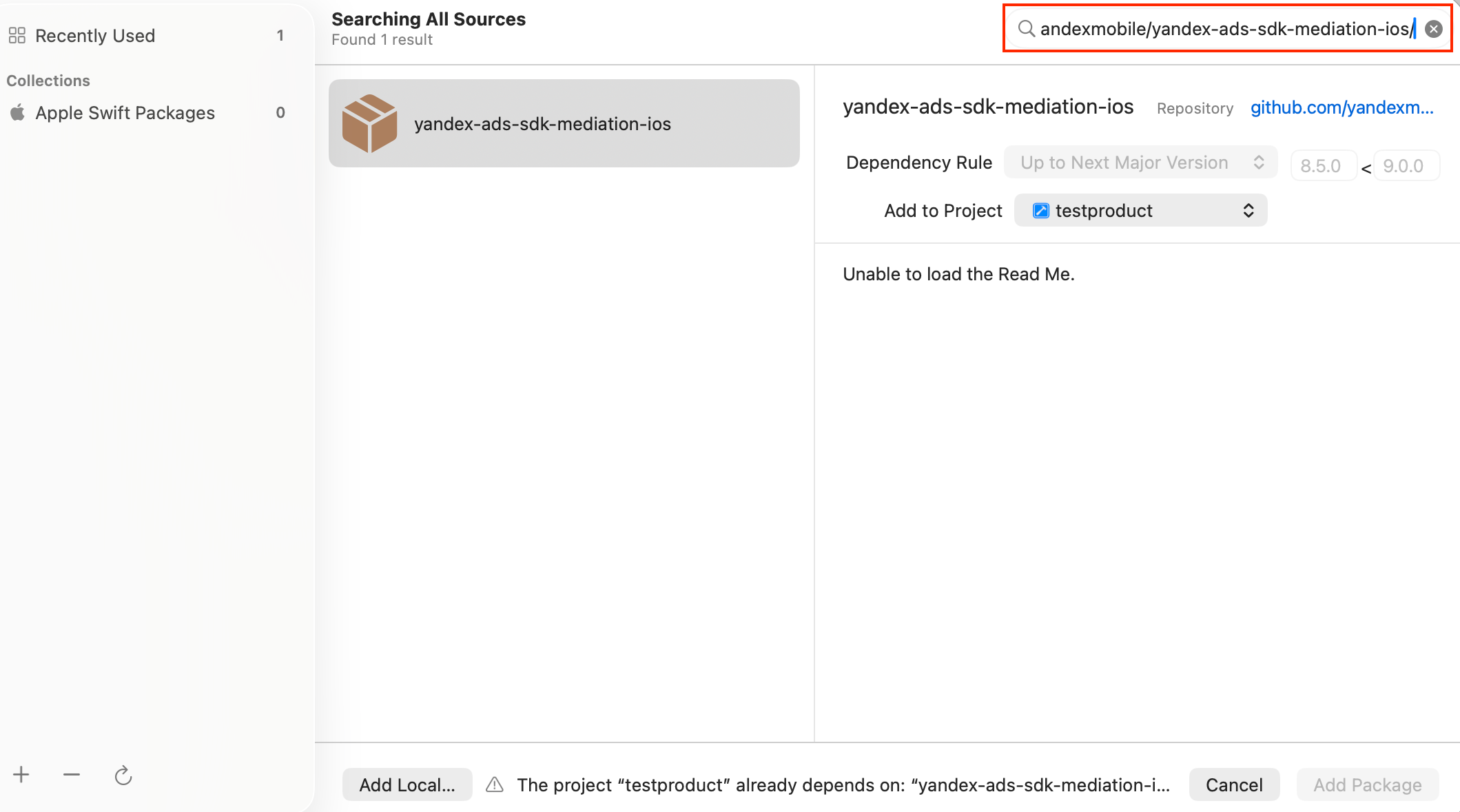
-
Select a compatible package version.
-
Select the products:
- Unified build (recommended):
YandexMobileAdsMediation. The core SDK and included adapters are added automatically; you do not need to add them separately. - Individual adapters: If you only need certain ad networks, select the products for their adapters instead of
YandexMobileAdsMediation.
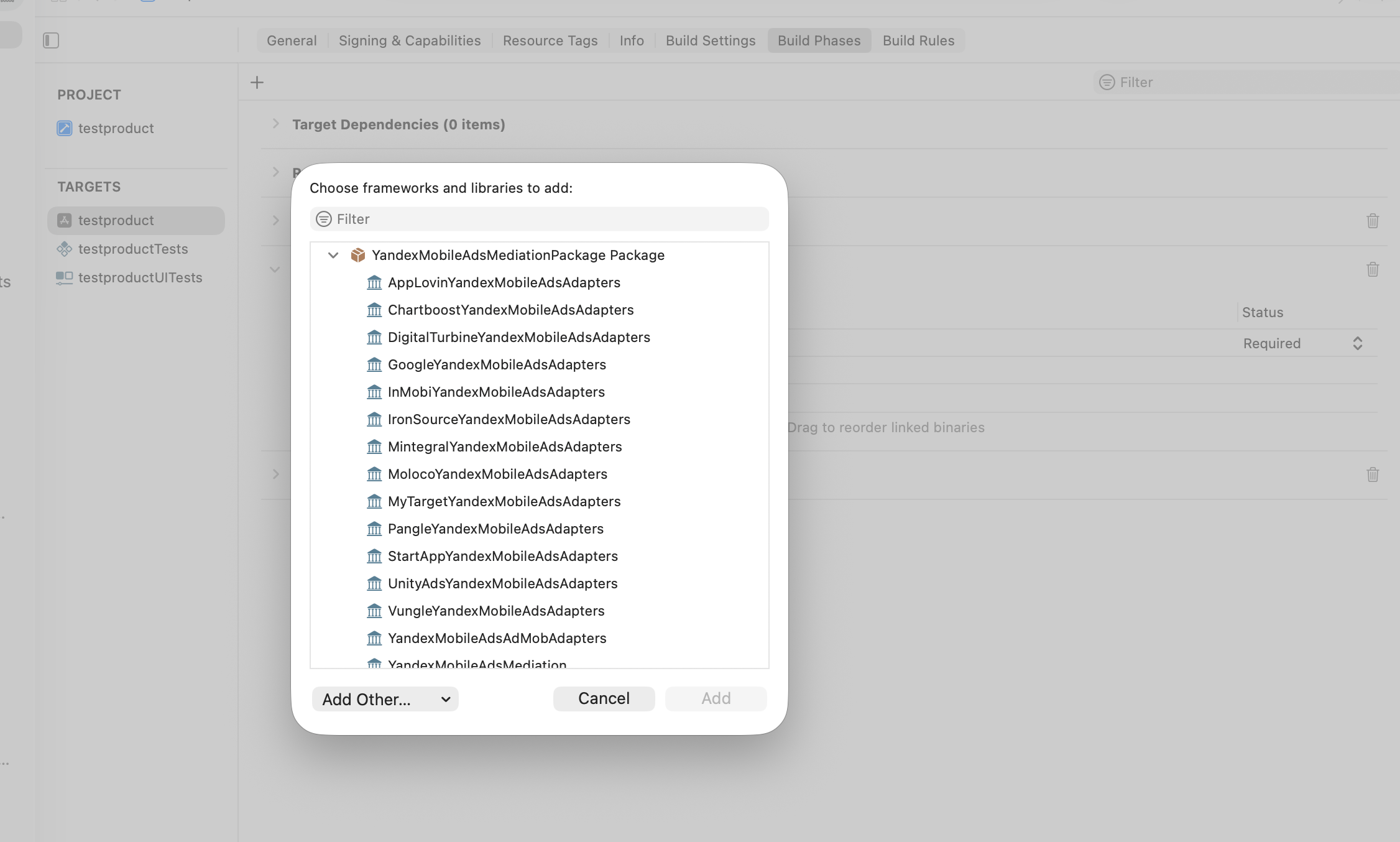
- Unified build (recommended):
-
Add the selected products to your app target.
-
In Build Settings → Linking, add
-ObjCto Other Linker Flags, preserving existing values and$(inherited).
-
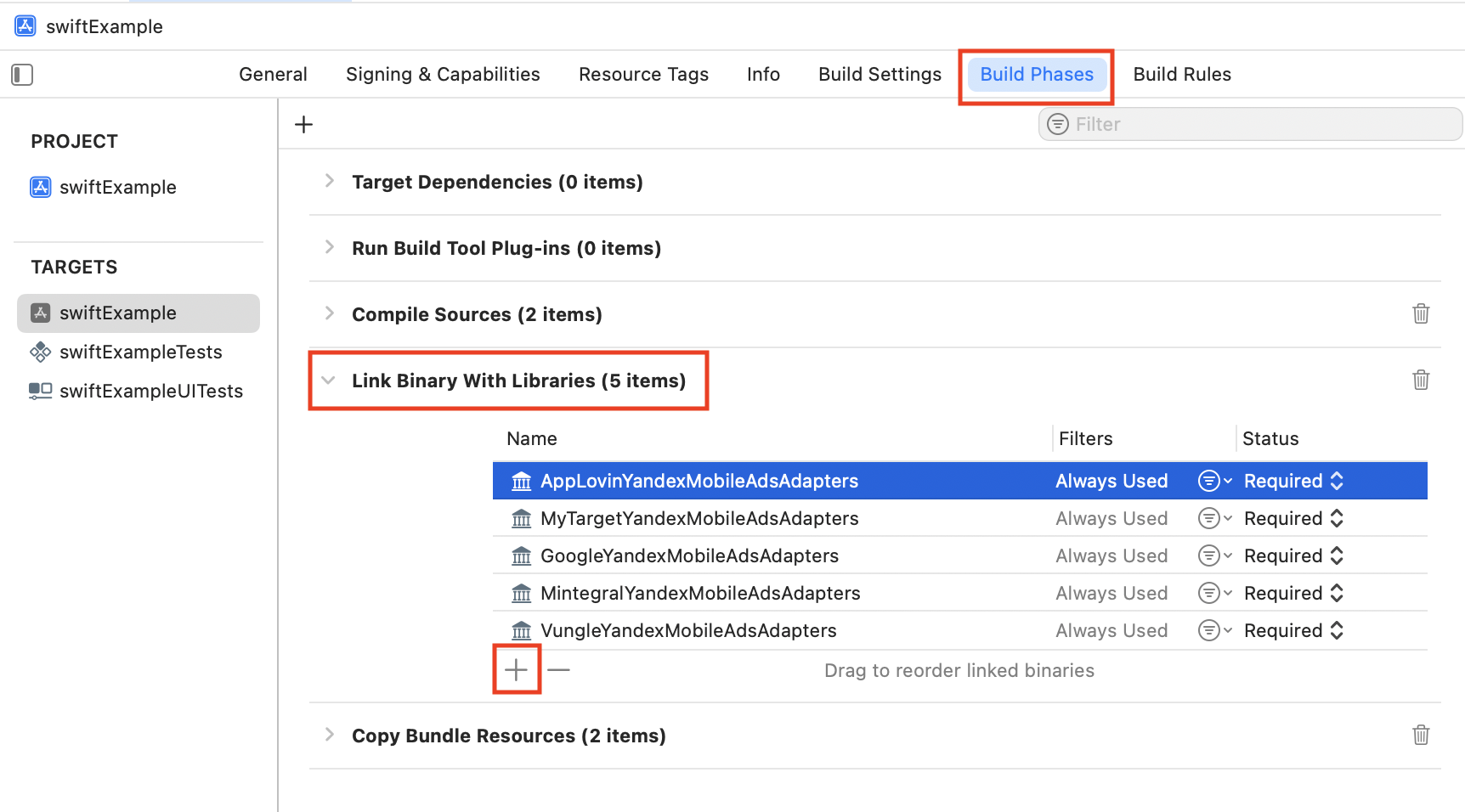
In Link Binary With Libraries, check that the selected products are linked to your app target.
Add dependencies to your Podfile for the mediation configuration you need:
pod 'YandexMobileAdsMediation', '8.6.0'
The core SDK and adapters are added automatically. The latest compatible version is selected for each adapter.
Add the core SDK and keep only the dependencies for the adapters you need:
pod 'YandexMobileAds', '8.6.0'

pod 'AppLovinYandexMobileAdsAdapters', '13.6.4.1'
pod 'BigoADSYandexMobileAdsAdapters', '5.0.6.6'
pod 'ChartboostYandexMobileAdsAdapters', '9.13.0.2'
pod 'DigitalTurbineYandexMobileAdsAdapters', '8.4.8.2'
pod 'GoogleYandexMobileAdsAdapters', '13.8.0.1'
pod 'InMobiYandexMobileAdsAdapters', '11.4.0.2'
pod 'IronSourceYandexMobileAdsAdapters', '9.3.0.6'
pod 'MintegralYandexMobileAdsAdapters', '8.0.7.6'
pod 'MolocoYandexMobileAdsAdapters', '4.9.0.1'
pod 'MyTargetYandexMobileAdsAdapters', '5.45.0.0'
pod 'PangleYandexMobileAdsAdapters', '8.1.0.2'
pod 'StartAppYandexMobileAdsAdapters', '4.14.0.2'
pod 'UnityAdsYandexMobileAdsAdapters', '4.20.0.1'
pod 'VungleYandexMobileAdsAdapters', '7.7.5.2'
pod 'zMaticooYandexMobileAdsAdapters', '1.5.6.6'
pod 'YandexMobileAdsMediationExtras', '8.6.0'
Run pod install in the directory containing your Podfile and open the .xcworkspace file.
Google AdMob is included in the unified build. You can also connect it separately through GoogleYandexMobileAdsAdapters. If you use this network, add GADApplicationIdentifier to your app’s Info.plist.
Use your AdMob app ID:
<key>GADApplicationIdentifier</key>
<string>ca-app-pub-xxxxxxxxxxxxxxxx~yyyyyyyyyy</string>
Note
If you need Mobile Mediation to track app installs, be sure to configure the Info.plist file. For more information, see SKAdNetwork support.