Integration Mobile Ads SDK
System: Boost, Adfox
Integrating the Yandex Mobile Ads SDK into your app is the first step toward serving ads and generating revenue. After integrating the SDK, you can choose an ad format for your app monetization (for example, banner ads or rewarded ads) and perform its setup.
Prerequisites
To prepare your app, follow the steps described in the next sections.
App requirements
- Use iOS 15 or higher.
- Use Xcode 16.4 or higher.
Set up the app in your Boost account
Register your app as a Boost app:
Integration
Integration of the Yandex Mobile Ads SDK involves the following steps:
- Integrating the Yandex Mobile Ads SDK.
- SKAdNetwork support.
- Initializing the library.
- Testing the integration.
Integrating the Yandex Mobile Ads SDK
There are two ways to integrate the Yandex Mobile Ads SDK into your project:
- Swift Package Manager (recommended): Integrate using the Xcode dependency manager.
- CocoaPods: Integrate using a Podfile.
- In Xcode, select File → Add Packages dependencies and enter
https://github.com/yandexmobile/yandex-ads-sdk-ios.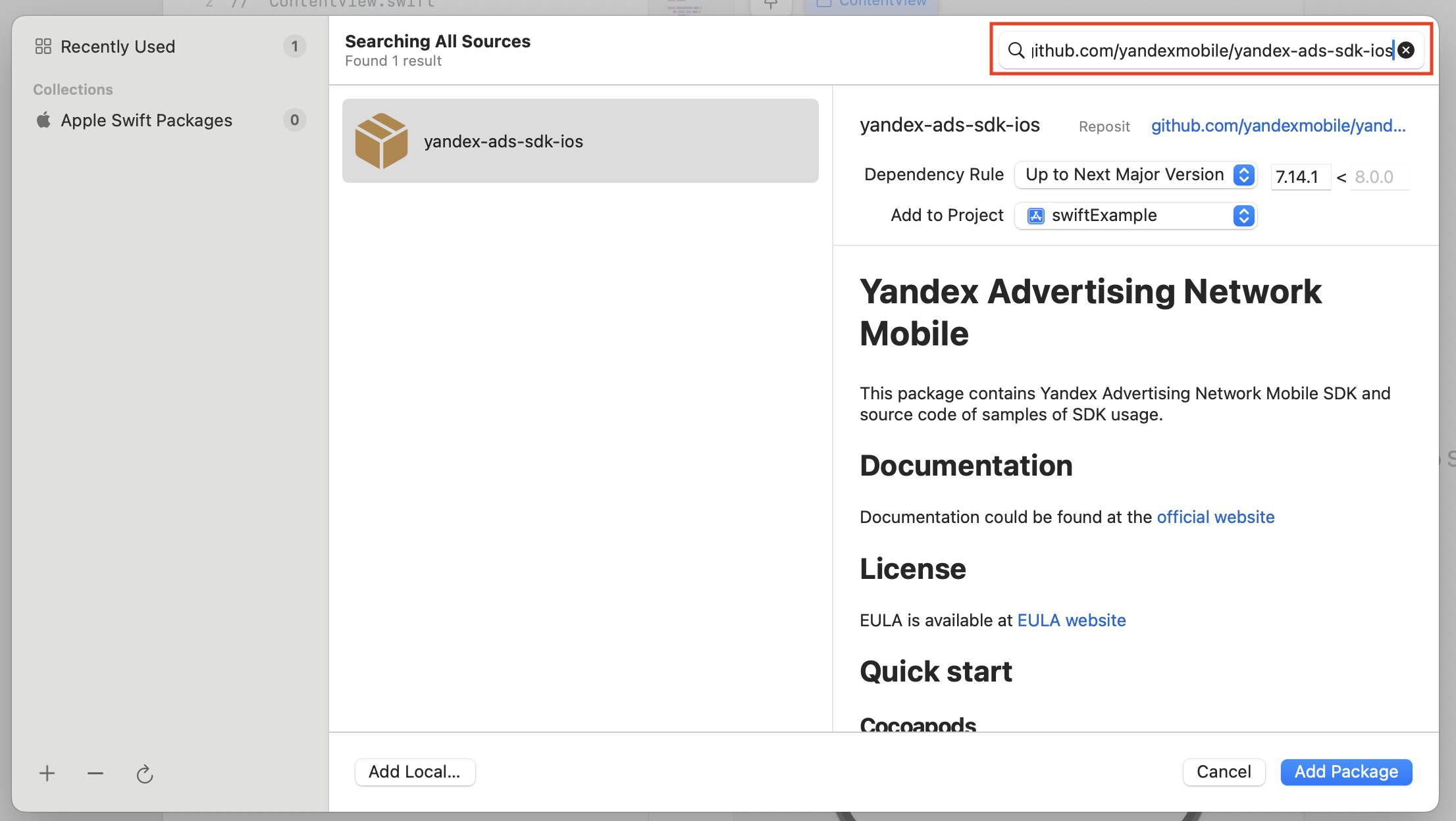
- Select a compatible package version.
- Select the
YandexMobileAdsproduct. If your app uses InStream ads, also selectYandexMobileAdsInstream. If it uses feed ads, also selectYandexMobileAdsFeed.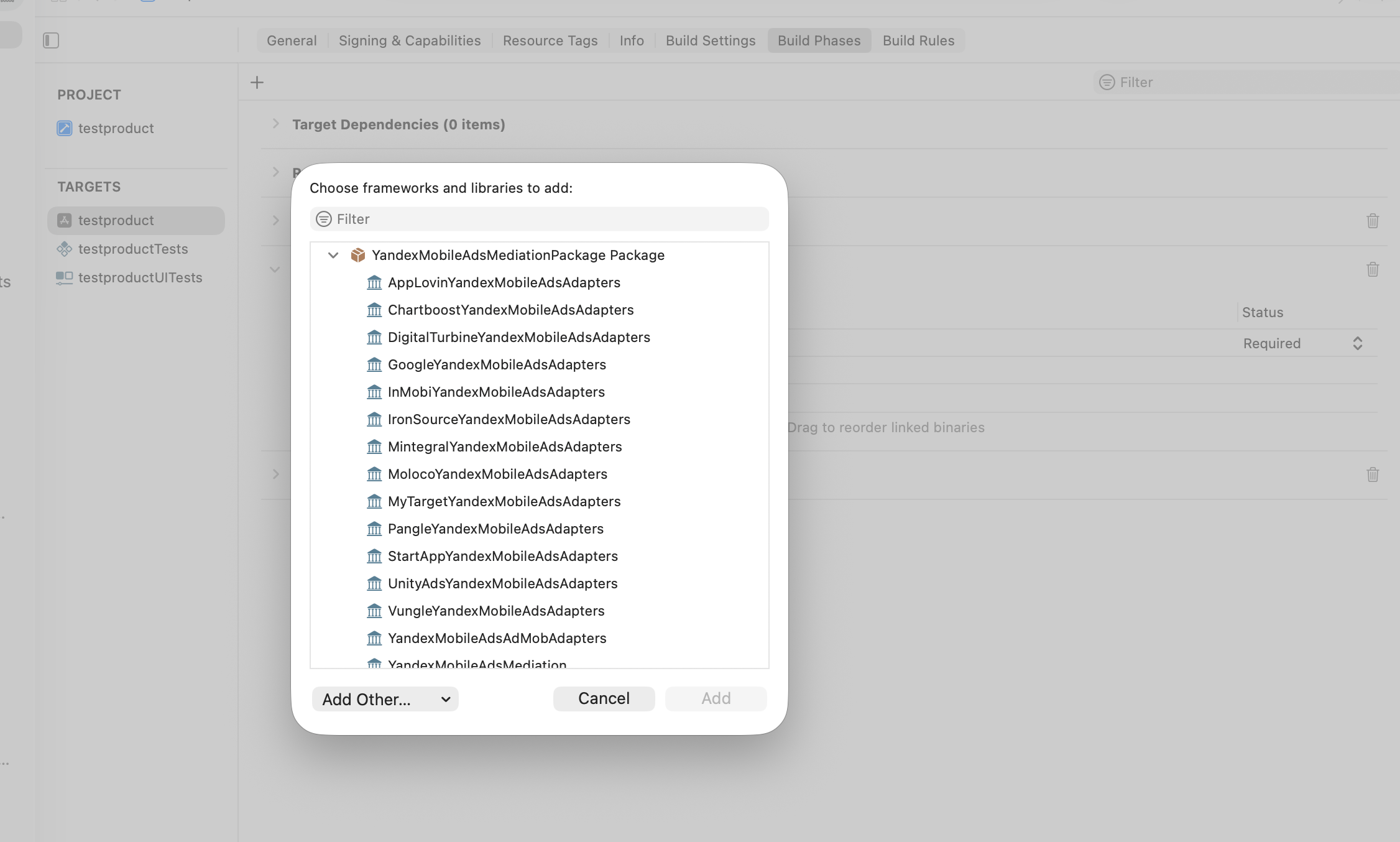
- Add the selected products to your app target.
- In Build Settings → Linking, add
-ObjCto Other Linker Flags, preserving existing values and$(inherited).
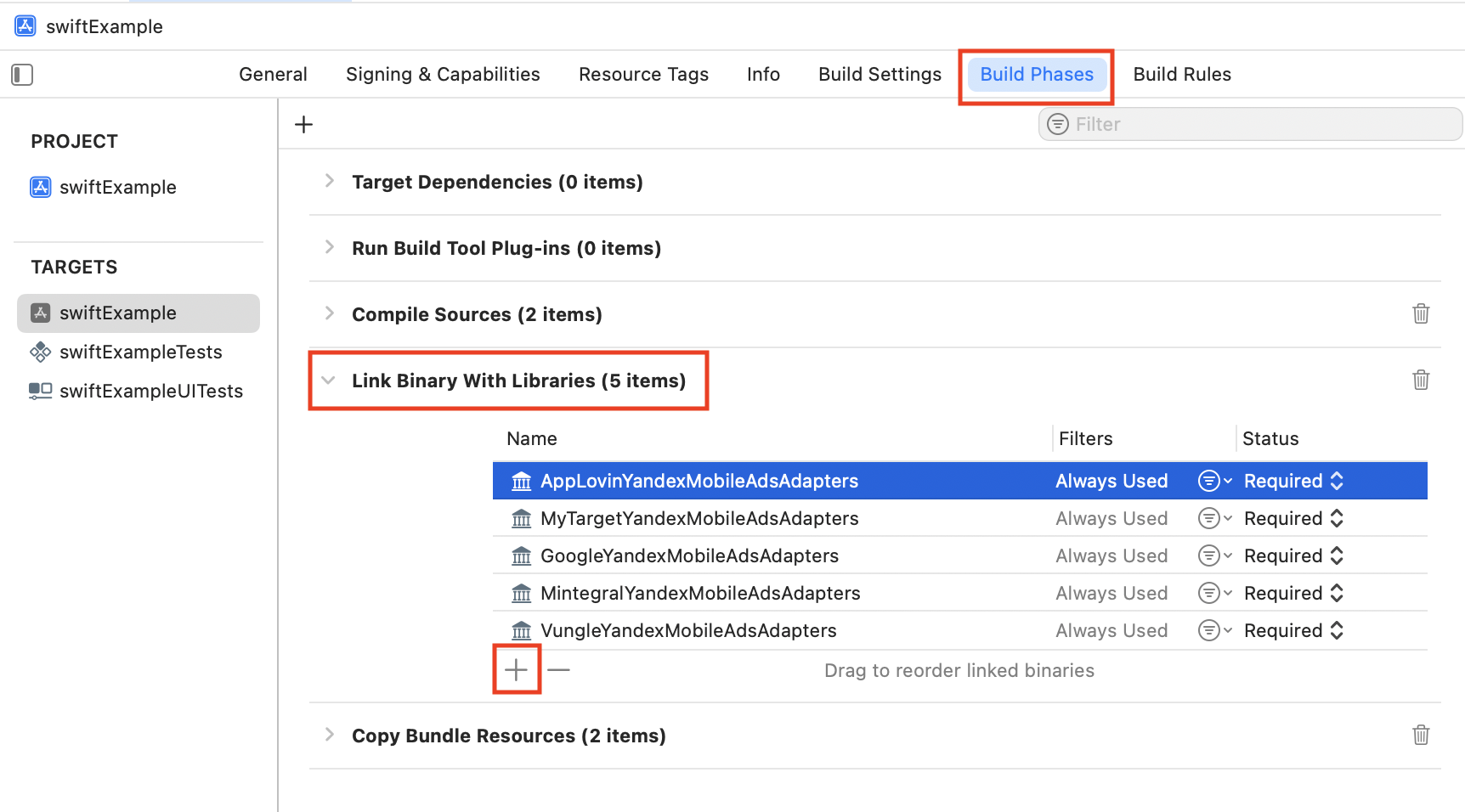
- Open Link Binary With Libraries in the target settings and check that the selected products are linked.
Add the YandexMobileAds library to your Podfile. If you use InStream ads, make sure to also add the YandexMobileAdsInstream pod.
pod 'YandexMobileAds', '8.6.0'
pod 'YandexMobileAdsInstream', '0.77.0'
Run pod install in the directory containing your Podfile and open the .xcworkspace file.
SKAdNetwork support
Add the ad network identifiers to your app's Info.plist file. For more information, see SKAdNetwork.
Initializing the library
Successfully initializing the Yandex Mobile Ads SDK is a prerequisite for correctly integrating the library. By default, the SDK is initialized automatically before ads are rendered. However, manual initialization can speed up the rendering of the first ad, thereby increasing your monetization revenue.
Manual SDK initialization
You can initialize the library manually using the YandexAds.initializeSDK() method.
We recommend adding the initialization code to the func application(_ application: didFinishLaunchingWithOptions launchOptions:) method of the AppDelegate class.
class AppDelegate: UIResponder, UIApplicationDelegate {
    var window: UIWindow?

    func application(_ application: UIApplication,
                     didFinishLaunchingWithOptions launchOptions: [UIApplication.LaunchOptionsKey: Any]?
    ) -> Bool {
        YandexAds.initializeSDK(completionHandler: completionHandler)
        return true
    }
}
Testing SDK integration
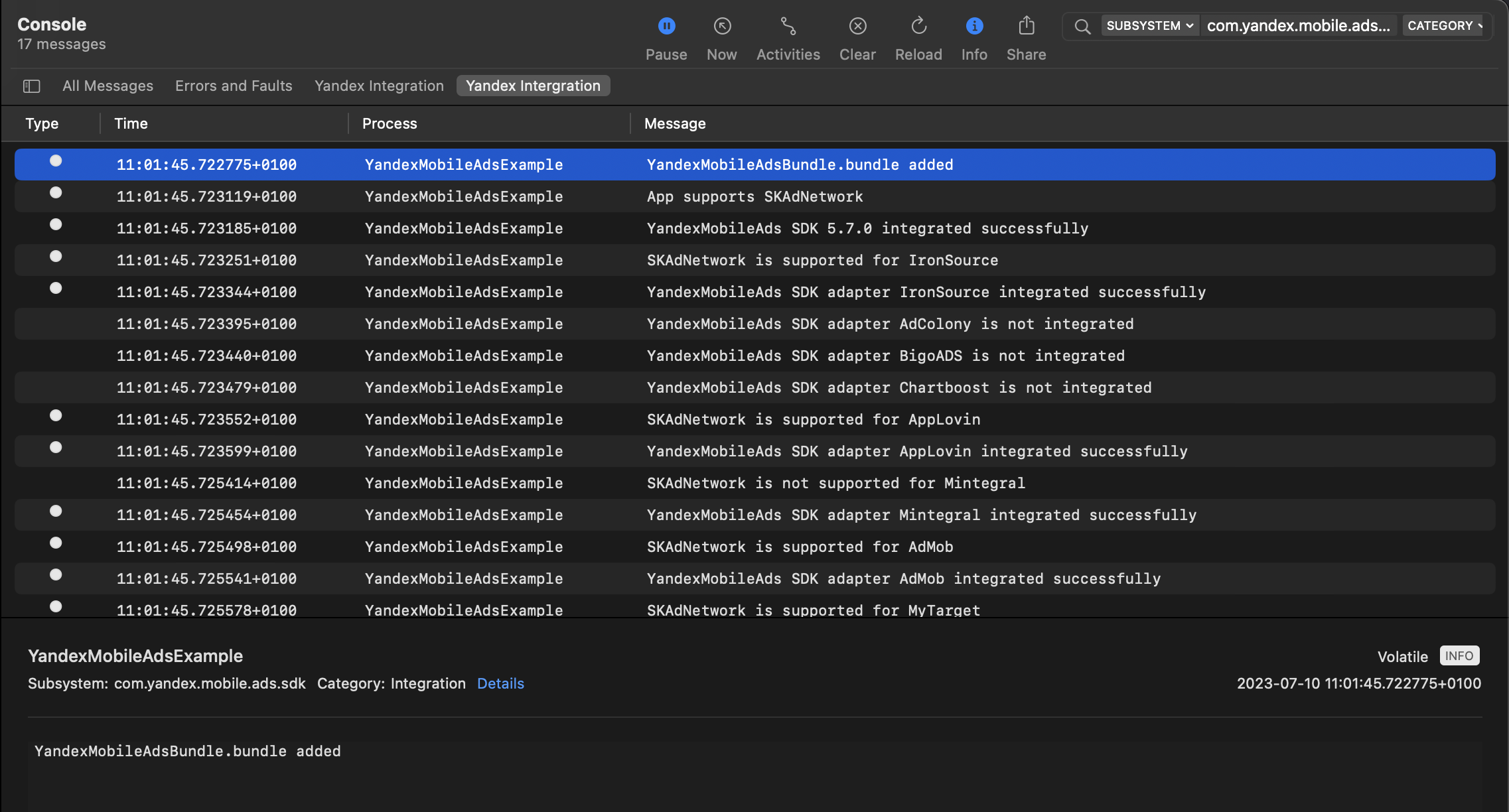
You can check the logs to make sure your SDK integration is correct.
To view logs, go to the Console tool and set Subsystem = com.mobile.ads.ads.sdk. You can filter logs by category, leaving only the ones related to the ad SDK integration. Set Category = Integration. Save the query and select it from the filter line whenever you need debugging.
You will see messages about successful integration: enabling YandexMobileAdsBundle.bundle, initializing the SDK, and connecting SKAdNetwork and Mobile Mediation adapters (if you use them in your project).
If there are any problems during SDK integration, you will see a detailed issue report.
Next steps
Once you've successfully integrated the Yandex Mobile Ads SDK, you can proceed to implementing your ad formats.
Select one of the following types of ads that best suits your app:
|
Ad format |
Boost |
Adfox |
Description |
|
|
|
An adaptive inline banner is a flexible banner ad format that ensures maximum efficiency by optimizing ad size for each device. The banner height is selected automatically and can reach the height of the device screen. Typically, this format is used in feed-based apps or contexts where it's acceptable to primarily focus user attention on ads. |
|
|
|
|
An adaptive sticky banner is a small, automatically updated ad placed at the bottom or top of the app screen. It doesn't overlap the main content and is often used in gaming apps. The height of the sticky banner is determined automatically, adapting to the device screen size and not exceeding 15% of the screen height. |
|
|
|
|
Interstitial advertising is a full-screen ad format embedded within the app content during natural pauses, such as transitioning between game levels or completing a target action. When users see interstitial ads, their attention is entirely focused on the ads, which results in a higher cost for such impressions. Overuse of this format can worsen user interaction. |
|
|
|
|
Rewarded ads are a popular fullscreen ad format where users receive incentives for viewing ads. Ad impressions are opt-in: for example, users can initiate them to get game bonuses or extra lives. Strong user motivation makes this ad format the most popular and profitable adoption in free apps. |
|
|
|
|
Native advertising is a type of ad whose layout can be defined at the app level. This feature allows you to change the visual style of ads and their placement, in the context of the app design specifics. Ad rendering is performed with native platform tools, which enhances ad performance and quality. You can set the layout of your native ads using a template or manually. If you choose to use a template, the ad layout will be set on the SDK side. |
|
|
|
|
App open ads are a special ad format for monetizing app load screens. These ads can be closed at any time and are designed to be served:
|
|
|
Ad feed |
|
|
Ad feeds are units that consist of a sequence of ads. Feeds can be added to your app as its main content, or they may come after the existing content. Feeds may contain dozens of ads loaded in parts, multiple ads at a time. |
|
|
|
InStream is an ad format that lets you monetize your app by serving ads while video content is playing. An InStream ad consists of a scenario with multiple video blocks. The type of video unit in an InStream scenario determines how the video ad should be played relative to the main video content. |

